



 How to add an Image or Attachment to your Message!
Adding an image to a post
When writing a post, you might often want to add an attachment. This could be an image, zip file, pdf, etc. anything that is important to your post.
We now allow you to add attachments up to 30MB in size. Regular members can add up to a total limit of 200MB for attachments, altogether. Premium members have no total limit (within reason).
Which Attachments are permitted?
Type: File Extensions: Limits: Archive files: rar, z01, zip 30MB Document files: doc, docx, pdf, ppt, pptx, txt, xls, xlsx 30MB Image files: bmp, gif, jpe, jpeg, jpg, png, psd 5MB / 1280x1280 pixels Audio files: mp2, mp3 30MB Video files: mkv, mp4, ram, rm, swf, wmv 30MB
What does this mean to me?
When you are writing a post, it is often an advantage to upload a picture, word document, power point presentation, pdf file, zip archive, etc. with your message.
Now this is even easier and those attachments can be up to 30MB each! You can add up to 20 attachments in just one post.
How Do I Add Attachments to my Posts?
Note that this process has been improved since the forum upgrade in November 2017.
First of all, you need to be using the advanced editor. Click on this button:
Adding attachments is easy. When you are creating your post, look in the Additional Options window and click on Manage Attachments.
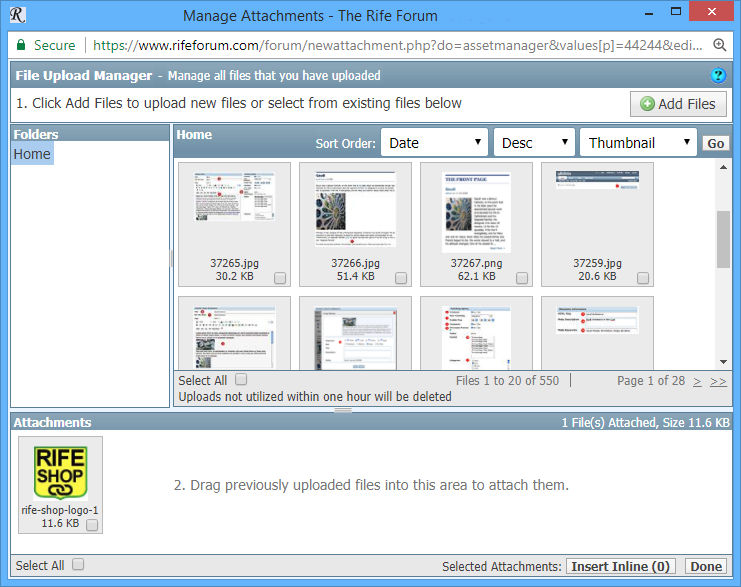
A new window will open allowing you to upload your attachments and/or reuse attachments you have already uploaded.
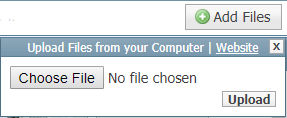
If the attachment is located on your computer, click on Add Files and select the file to upload. Then click on Upload to transfer the file from your computer to the forum.
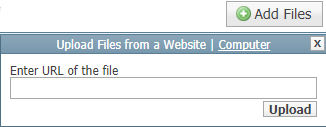
If the attachment is located on another website, click on Add Files and then on Website. You can then paste the complete url and then Upload it.
Now wait until the file has been uploaded. Once uploaded, it will be listed in the window.
If you need to upload more than one attachment, simply select the next file to upload and click on the upload button again.
You can also reuse attachments you have previously uploaded. Just locate the attachment from the list and drag it into the Attachments section, below.
A total of 20 attachments can be added to each post.
Once you finished uploading files, simply click on Done. The attachment(s) are listed under "Attach Files".
You can insert your attachments into your post by clicking on the little arrow next to the attachments button. Then simply select the image you wish to insert.

Once you have finished writing your post, click on "Submit New Tread". Now anyone reading your post on the forum can download your attachments at will.
What are the Limits?
You can upload up to 20 attachments in each post where each attachment cannot be larger than 30MB.
Normal members can upload up to a a total of 200MB
Trusted members can upload unlimited number of files (within reason)
Premium members can upload unlimited number of files (within reason)


 Reply With Quote